Are you being flooded with notifications saying, “@username invites you to join their Broadcast Channel”…? You and me BOTH!
On September 19, 2023, Instagram officially launched its own broadcast feature in the UK. So, what is this feature? How does it work? How can you join? These are the few questions we want to answer.
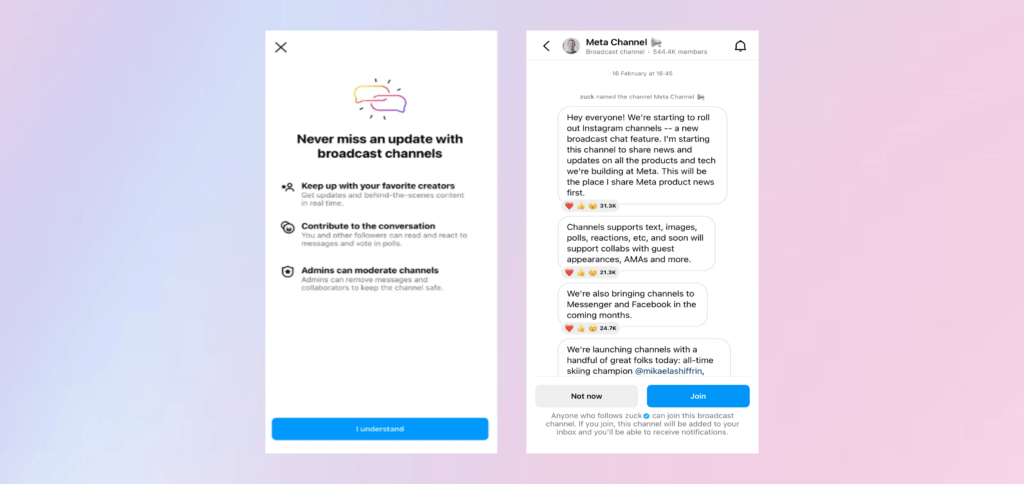
What are Instagram Broadcast Channels?
Essentially, Instagram Broadcast Channels allow creators to have one big Instagram group chat where they can send one-way messages to their channel members, aka their followers or paid subscribers, using text, photos, videos, voice notes, and polls.
According to CEO, Adam Mosseri: “People actually share more photos and videos in DMs than they do in Stories in a given day. And they share more photos and videos in Stories than they do in their Feed.”

How do Instagram Broadcast Channels work?
Once a creator has gained access; they can start a broadcast channel directly from their Instagram DMs. Once the initial broadcast message has been sent, their followers will receive a one-time notification to join in.
Creators can further promote their Broadcast Channel by using the “join channel” sticker on their Stories or pinning their channel link to their profile.
For creators with Subscriptions, they would need to ensure that they set their audience to “all followers” to allow an open-to-all channel to ensure all their followers receive updates. There’s also an option to make a Broadcast Channel exclusively for paid subscribers, offering a more premium content experience.
How Do You Join an Instagram Broadcast Channel?
Notification Button: When a creator sends their first channel message, all followers will receive a DM notification with a prompt to join.
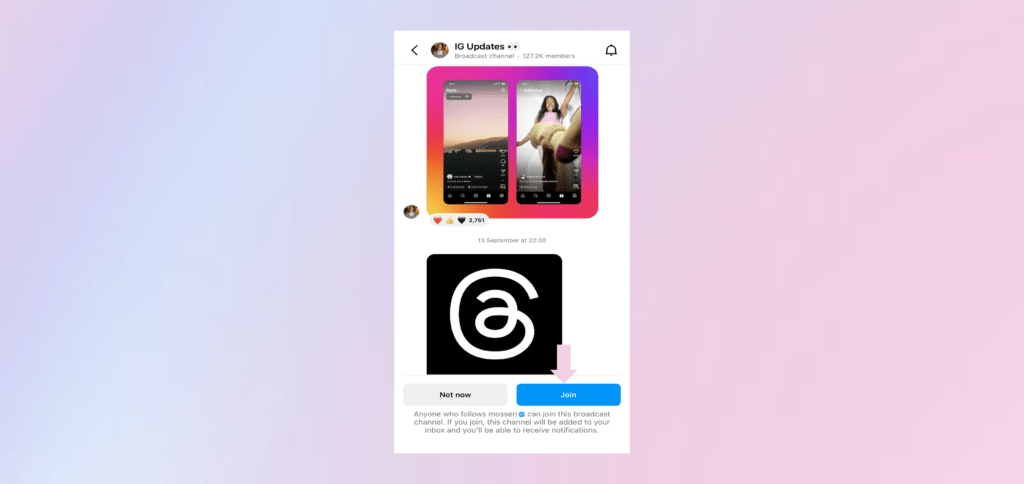
Instagram Bio Link: Creators can post a direct link to their channel in their Instagram bio. Simply tap to join in.

Join Channel Sticker: Creators will be able to add a ‘Join Channel’ sticker to their Instagram Stories. Once you click on it, you’ll be added.
How Do You Create Your Own Instagram Broadcast Channel?
To create an Instagram Broadcast Channel, tap the compose button in the top right corner of your DMs tab and select “Create broadcast channel”.
From there, simply enter the Broadcast Channel name and send your first message to your followers.
How to turn off Broadcast Channel notifications?
Now, let’s dive into the most important part of the blog – How to turn off Broadcast Channel notifications. With content creators adapting to this new feature, many of us find ourselves drowning in constant Broadcast Channel notifications.
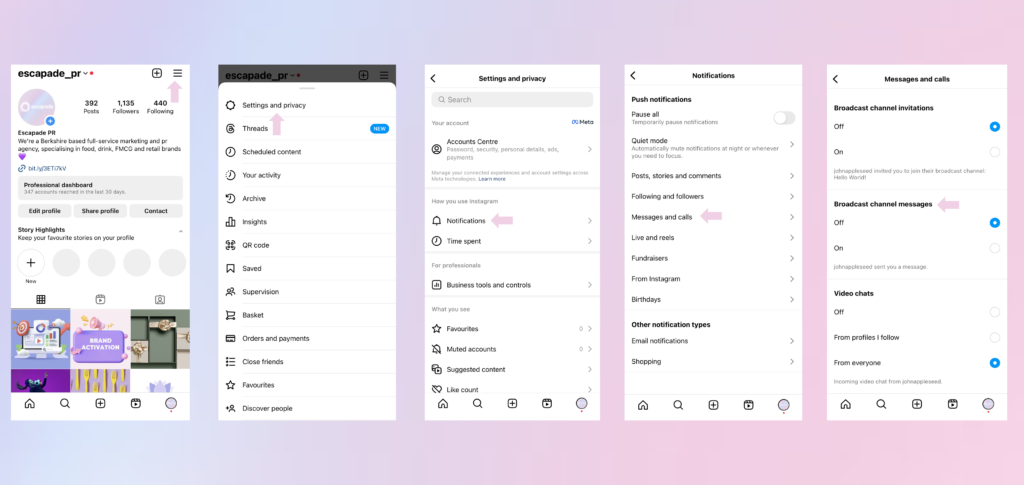
- Tap your profile icon in the bottom-right corner of the app.
- Tap the icon with three lines in the top-right of the screen.
- Select ‘Settings and privacy’.
- Tap ‘Notifications’.
- Tap ‘Messages and calls’.
It’s that easy!
Conclusion
The launch of Broadcast Channels will change the way we think about direct messages, turning them into broad announcements. Considering how often users check their DMs, it’s a great way to guarantee your followers never overlook your posts or updates.
If you want to discover more social media related content, check out Escapade’s blogs on How to Use Threads and The Latest Digital Marketing Reports!
In need of a consumer PR agency? Click through to our Contact page, we would love to hear from you!
Sources:
https://about.instagram.com/blog/announcements/introducing-broadcast-channels
https://www.instagram.com/p/Cou6TkKA9p2/
Blog Cover Photo: GOCMEN/istockphoto.com